Most people drown in information they never use again. Ideas vanish. Notes pile up in five different apps. Links get bookmarked and forgotten forever. That chaos is exactly why learning how to build an AI second brain has become one of the most searched productivity topics this year. This guide walks you through the entire process, from the core idea behind a digital second brain to the exact tools, prompts, and workflows that make it work in real life.
What is an AI Second Brain (And Why Traditional Note-Taking Fails)?
An AI second brain is a system that captures everything you learn, then uses artificial intelligence to organize, connect, and retrieve it whenever you need it. Unlike a plain notebook, it doesn't just store information. It understands it. This is the foundation of modern personal knowledge management, where the goal isn't just saving notes but turning scattered unstructured data into something searchable and useful.
Traditional note-taking fails because human memory and manual folders can't scale. You write something down, forget where you filed it, and never look at it again. An AI-powered knowledge base solves this by using semantic search instead of exact keyword matching, so you can ask a question in plain language and still find the right note, even if you used different words the first time.
The 4-Layer Architecture of an AI Knowledge System
Every strong AI second brain rests on four layers working together. The first layer is capture, where raw thoughts, articles, and voice notes enter the system. The second is storage, where everything lives in one organized location instead of ten scattered apps. This structure supports genuine digital organization rather than digital clutter.
The third layer is processing, where AI reads, tags, and summarizes what you've captured. The fourth is retrieval, where you ask questions and get direct answers instead of digging through folders. Together, these layers turn your notes into a true contextual assistant that remembers what you'd otherwise lose. This four-layer model is the backbone of any serious productivity stack built around AI.
How to Build Your AI Second Brain in 4 Steps
Building an AI second brain doesn't require expensive software or a computer science degree. It requires a clear process. Below is a simple, repeatable four-step method that works whether you're a student, a founder, or someone who just wants to stop losing good ideas.
Step 1: Centralize Your Universal Capture
Pick one single place where everything enters your system, no exceptions. This could be a note app on your phone, a browser extension, or a voice memo tool that syncs automatically. The goal is automated note taking with zero friction, so capturing an idea takes five seconds, not five minutes.
Scattering notes across six apps guarantees you'll forget half of them. A single capture point, even a plain one, beats a fancy system nobody actually uses. Once information enters this one funnel, everything downstream becomes far easier to manage and far less overwhelming.
Step 2: Organize with a Simplified PARA Structure
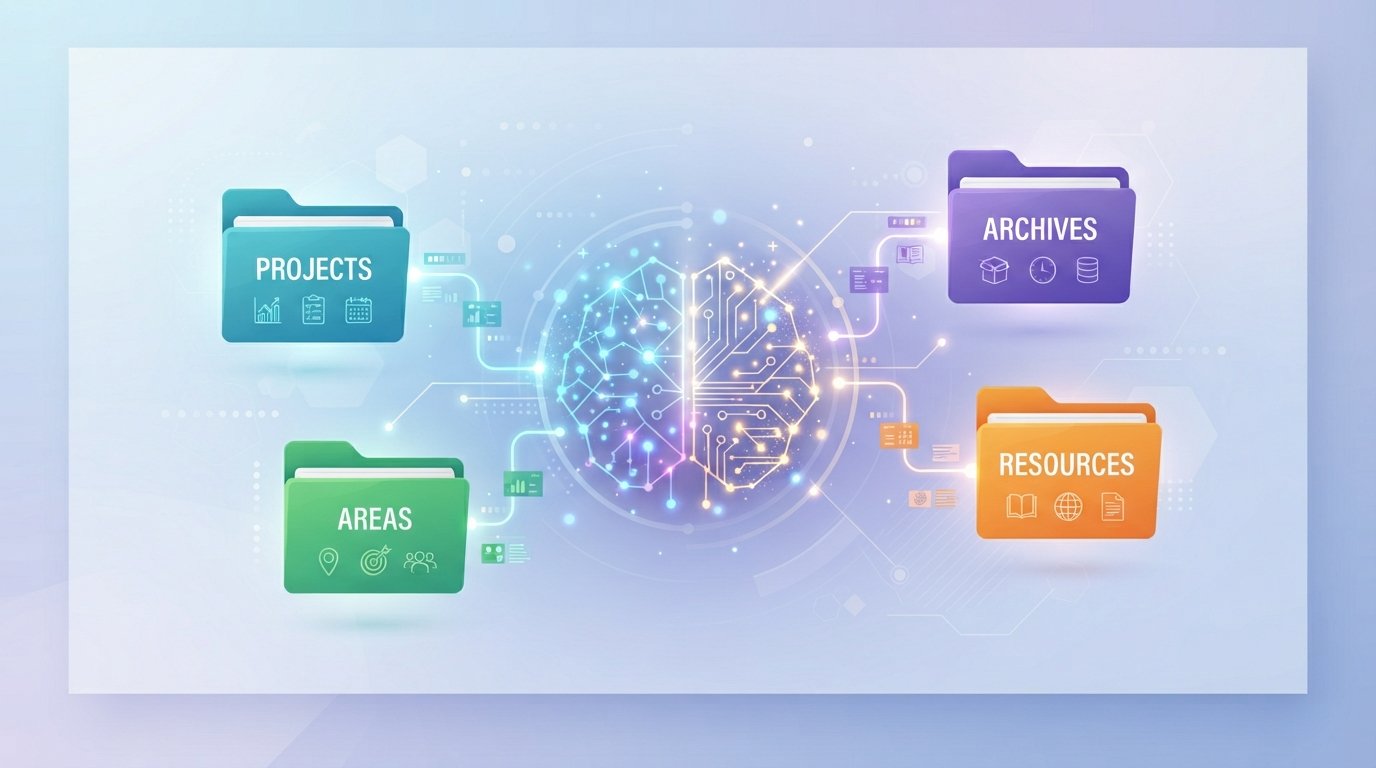
PARA stands for Projects, Areas, Resources, and Archives, and each word does exactly what it sounds like. Projects cover anything with a deadline, like launching a website or finishing a course assignment. Areas hold your ongoing responsibilities, the stuff with no real end date, such as your fitness routine or monthly finances. Resources are reference material you're not using right now but might need later, think research notes or saved articles. Archives store everything inactive, like notes from a class you already completed, kept only in case you need to look back.
This simplified structure keeps your knowledge base from turning into digital hoarding. You don't need fifty folders or a color-coded system nobody remembers how to use. Four categories, applied consistently, will organize years of notes without confusion, and you'll always know exactly where something belongs the moment you capture it.
Step 3: Connect Your Preferred AI Model
This is where the "AI" part of your AI second brain actually comes alive. Connect a large language model, such as Claude or ChatGPT, to your notes through a plugin, an API, or built-in AI features inside your note app. This turns static text into something you can question and explore.
Once connected, the AI can summarize long documents, spot patterns across months of notes, and answer questions using your own material as the source. This is the exact mechanism behind a functional contextual assistant, and it's what separates an AI second brain from a regular filing cabinet of files.
Step 4: Automate Your Weekly Review & Retrieval
A second brain without review turns into a graveyard of forgotten notes. Set a recurring fifteen-minute slot each week to skim new captures, tag loose ends, and ask your AI tool to summarize the week's key ideas. This single habit keeps the whole system alive.
Automation tools can trigger this review for you, sending a weekly digest pulled straight from your notes. Pair that with quick information retrieval prompts, and you've built a loop that gets smarter and more useful every single week, instead of decaying like most productivity systems do after a month.
Best AI Second Brain Tools to Use
Choosing the right software matters, but the tool matters far less than the habit behind it. Still, some platforms make the process dramatically smoother. Notion AI works as an all-in-one notes and database system, with built-in AI question-and-answer features baked right into your pages, which makes it a strong pick if you want a proper notion ai setup. Obsidian takes a different approach, keeping your notes linked and stored locally, with a plugin ecosystem that powers AI-driven search, ideal for anyone chasing a flexible obsidian ai workflow.
Beyond those two, Mem focuses on fast, automatic organization through AI auto-tagging, so you barely have to sort anything yourself. Tana leans into structured supertags with AI-powered outlining for people who like their notes highly connected. Readwise Reader, meanwhile, specializes in reading and highlight capture, sending everything you underline straight into your notes automatically. Notion suits people who like structure and visual dashboards, while Obsidian appeals to those who want full ownership of their files. Whichever you choose, make sure it supports plugins or APIs, since that connection is what actually powers the AI layer of your entire system.
Top Prompts to Search & Query Your Knowledge Base
The real payoff of an AI second brain shows up when you start asking it questions instead of scrolling through folders. Good prompts turn passive notes into an actionable insight engine.
- "Summarize everything I've saved about [topic] in the last three months."
- "What contradictions exist between my notes on [subject]?"
- "Turn my scattered notes on [project] into a clear action plan."
- "Find every note where I mentioned [person or idea]."
- "Compress my research on [topic] into five key takeaways."
These prompts push your system toward genuine capture and distill behavior, where raw notes become clear conclusions instead of sitting untouched. The more specific your prompt, the sharper and more useful the answer becomes.
Common Mistakes to Avoid
Many people quit halfway through building their AI second brain because of a few repeatable errors. Over-organizing is the biggest one. Spending three hours designing the perfect folder hierarchy before capturing a single note guarantees burnout before real progress starts.
Another common mistake is skipping the weekly review, which lets notes rot without ever becoming useful. A third mistake is capturing everything without ever connecting it to an AI model, leaving you with a huge pile of unstructured data and no way to query it. Avoid these traps, and your system will actually last.
Frequently Asked Questions
Is building an AI second brain hard for beginners?
No. Anyone can start with a single notes app and one AI tool. Complexity can be added later, once the habit of capturing and reviewing is already in place.
Do I need to pay for premium AI tools?
Not necessarily. Many free plans, including free tiers of Notion AI and Obsidian plugins, offer enough features to run a solid digital second brain without spending money upfront.
How is this different from regular note-taking apps?
Regular apps store text. An AI second brain understands and connects that text using semantic search, letting you retrieve ideas by meaning instead of exact wording.
Can I use an AI second brain for work and personal life together?
Yes. The PARA structure keeps work projects, personal areas, and shared resources cleanly separated, even inside one unified system.
What's the single most important step in this whole process?
Consistent capture. Every layer of your productivity stack depends on information actually entering the system in the first place.
Building an AI second brain isn't about finding the perfect app. It's about creating a habit loop between capturing, organizing, and questioning your own knowledge. Start small, connect one AI tool, and let the system grow one note at a time.